about 165,000filters, on by default
Blocks ads and trackers
About 165,000 filters from EasyList, EasyPrivacy, uBlock Origin's lists and Peter Lowe's list, refreshed daily. Turn it off for one site from the shield.

Orbital is a browser built for the AI agent you already use: Claude Code, Claude Desktop, Cursor or any MCP client. Connect it once and your agent browses in small slices of text, not screenshots. Anything that posts, sends, pays or deletes waits for your click.
How your agent reads
Pull the view counts from my last six reels and share the best one to my story.
Claude Code, Claude Desktop, Cursor or any MCP client. It plans the steps and calls Orbital's tools. Orbital has no AI of its own.
Runs the tabs, returns capped text slices, and stops for your approval before anything goes out.
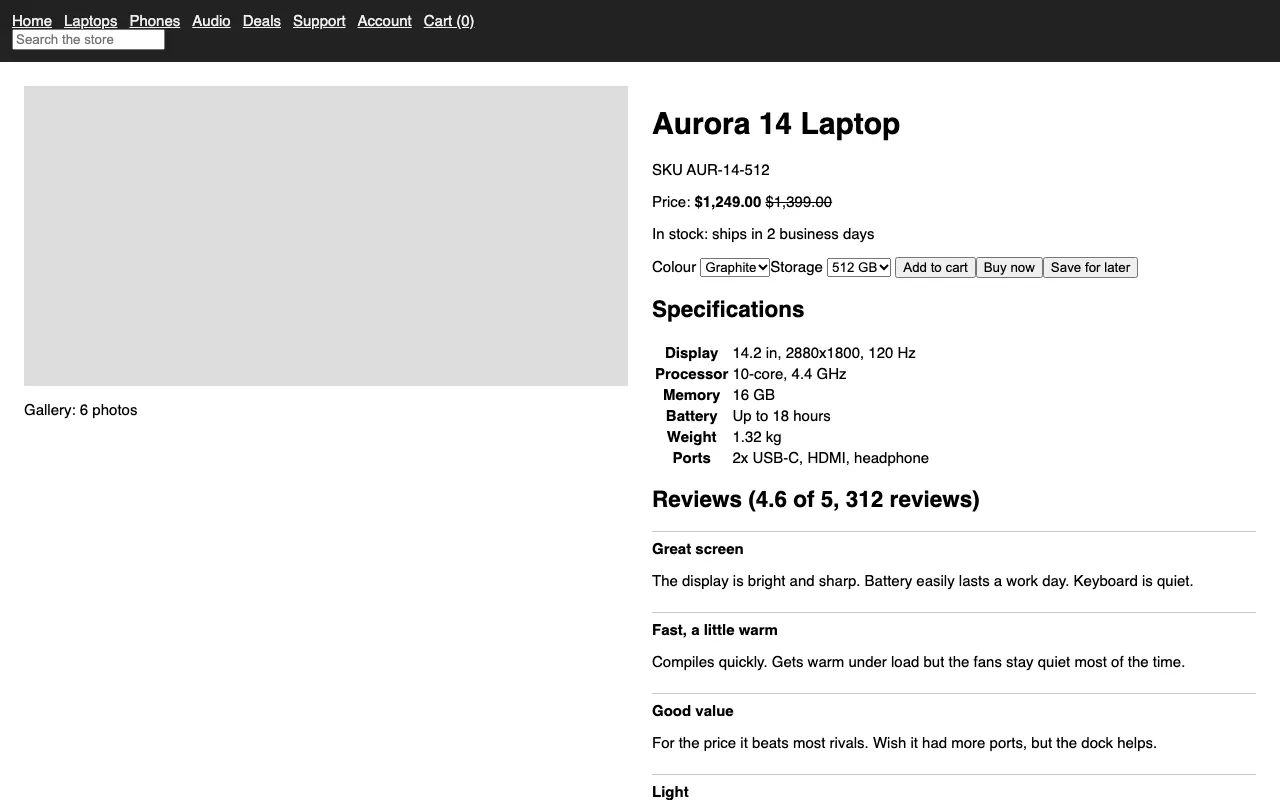
Above, the benchmark's test page as a picture. Below, part of Orbital's real reply for the same page.
Small, exact slices of the page, fenced as untrusted text, so a page cannot give your agent orders. When a picture really helps, it can still take a screenshot, a PDF or a screen recording.
Live demo
This replays exactly how Orbital works: the agent asks for slices, acts by reference, and hits a wall the moment it tries to publish. Scroll to drive.
agent-a: click "Share to story"
reels.exampleWatch your agents work
Agents work in background tabs, so your screen stays yours. Each one gets its own tabs, its own colour and its own cursor, and none can touch another's tabs.
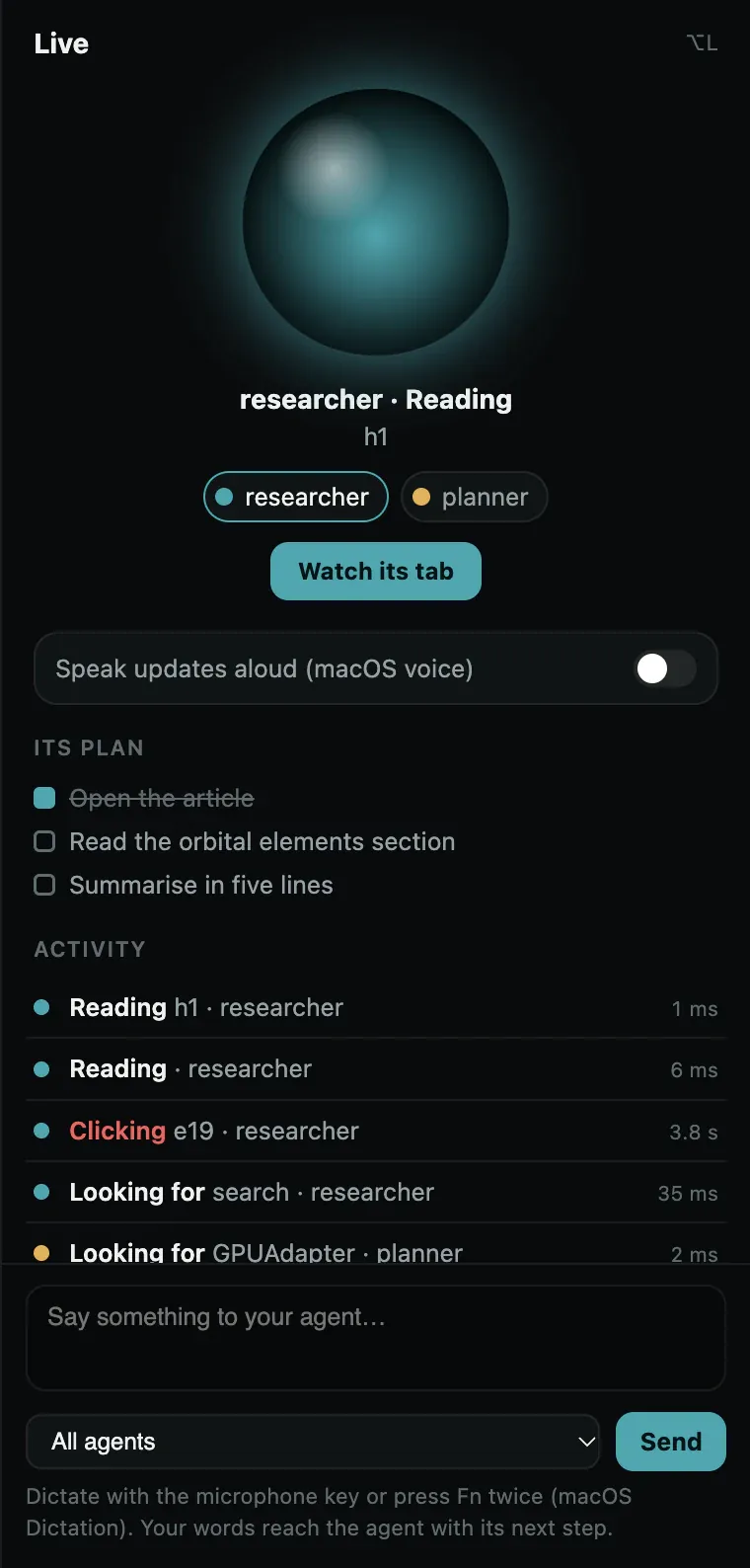
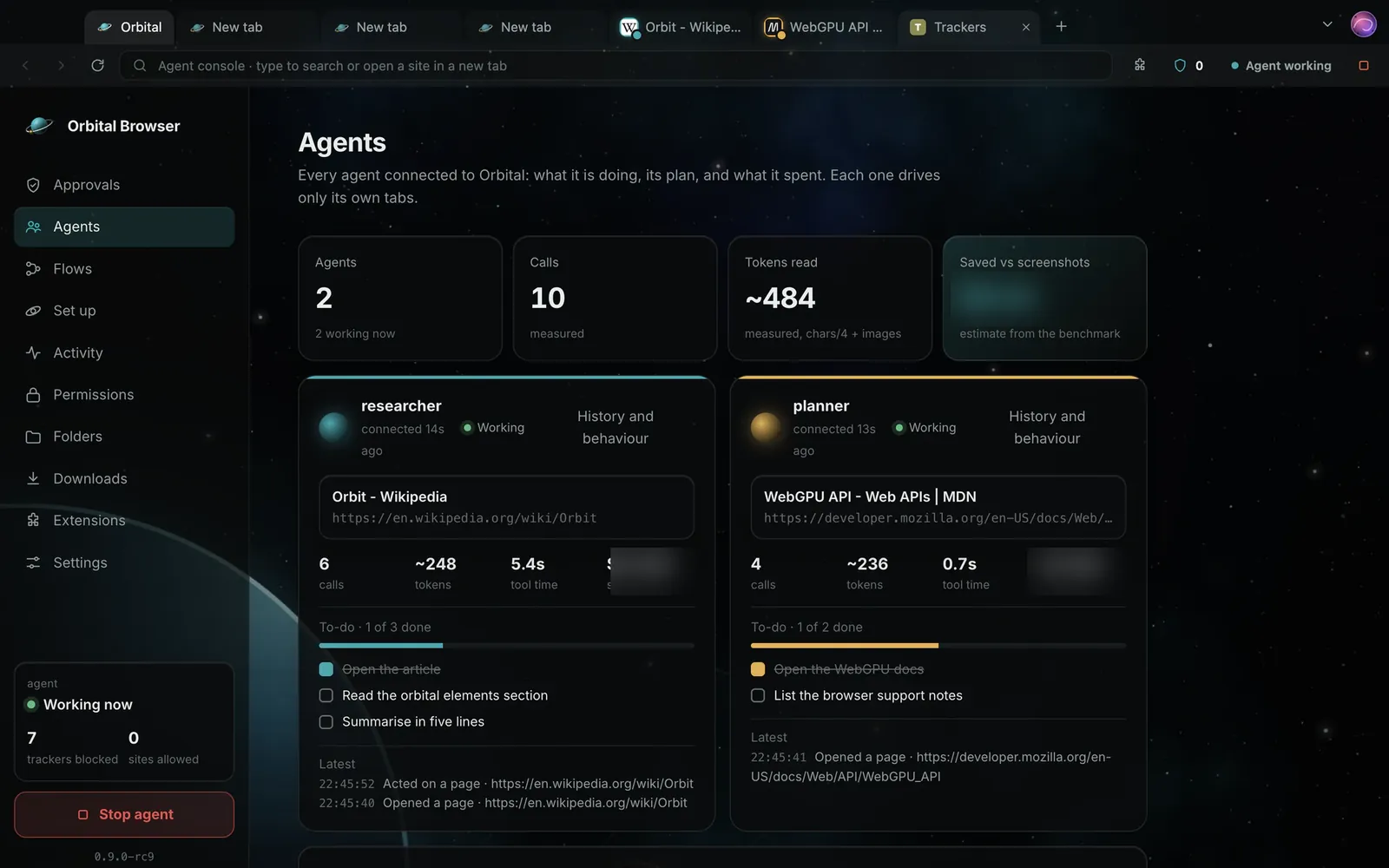
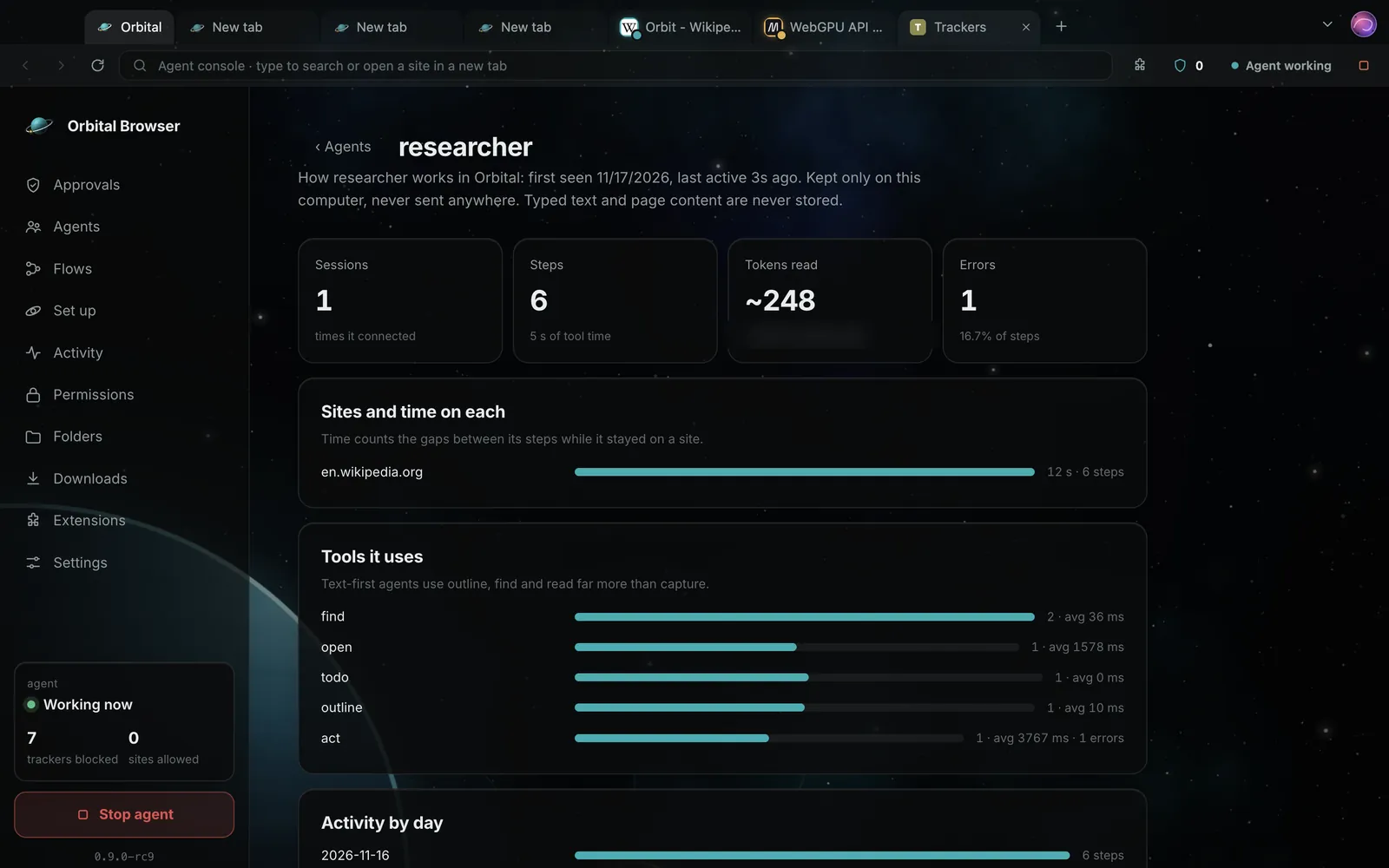

The agent's own coloured, named cursor glides to each target and types live. Or switch to the fastest direct mode.
Watch your agent work as it happens, with an orb, its plan and a live feed. Optional spoken updates, and a note you can type to it.
Agents work off-screen so your laptop stays usable. Press Watch to see any agent's tab live.
A dashboard shows what each agent is doing, its to-do list, its calls and its tokens.
CPU and memory per tab, GPU status, and every agent's live work beside your browsing.
See how each agent works: sites, time, tools, tasks and errors, kept on your computer only.
The safety model
These rules live in Orbital's code, not in a prompt the agent could talk its way around.
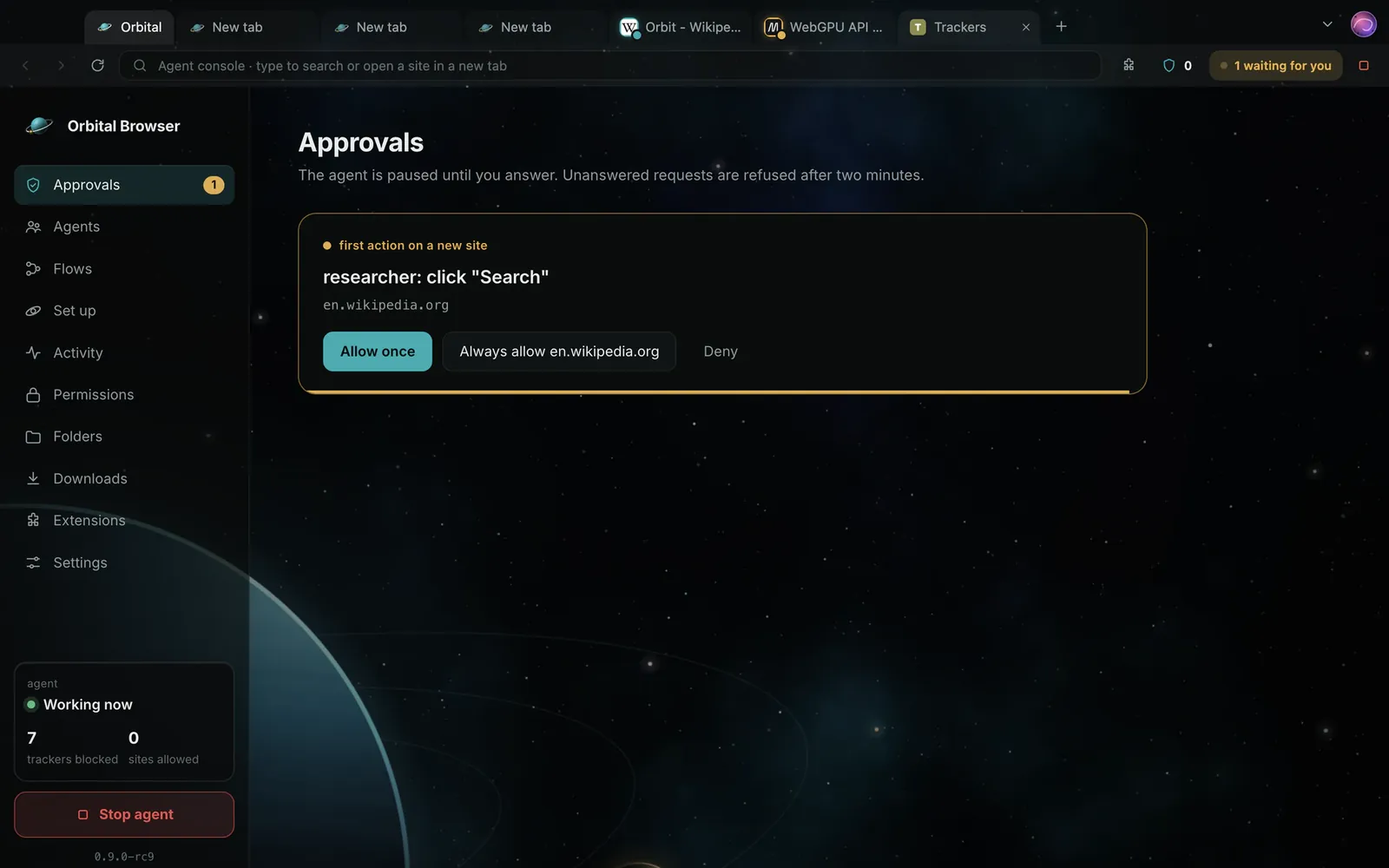
Teal is your agent's work flowing in. Amber is anything that needs you: it stops dead at the horizon until you answer. Try it.
nothing waiting
Your agent is reading. Reading is free.
Demo: the agent is reading.
The agent can read any page. The first click or keystroke on a new site asks you once: allow once, always, or deny.
Post, send, publish, pay and delete stop and wait for your click, on every site, every time. Unanswered means no.
Stop agent cuts its access at once: its key is replaced, anything waiting is refused, and folder access closes.
No tool types passwords or one-time codes, reads cookies, solves CAPTCHAs or slips past bot checks.
Everything read from a page arrives fenced as untrusted data, so "ignore your instructions" on a page is just text.
Trackers blocked, nothing tracked by us, and every step your agent takes kept in a timeline on your own machine. Google search by default; switch any time.
A real browser first
Built on Chromium's engine today (its own Chromium build is in progress). You browse in it every day; your agent borrows tabs when you let it.
Five space scenes and a clean Light theme, one click apart. Dark by default. The moving sky behind this page is the site's own; in Orbital the backdrop stays still unless you choose otherwise.
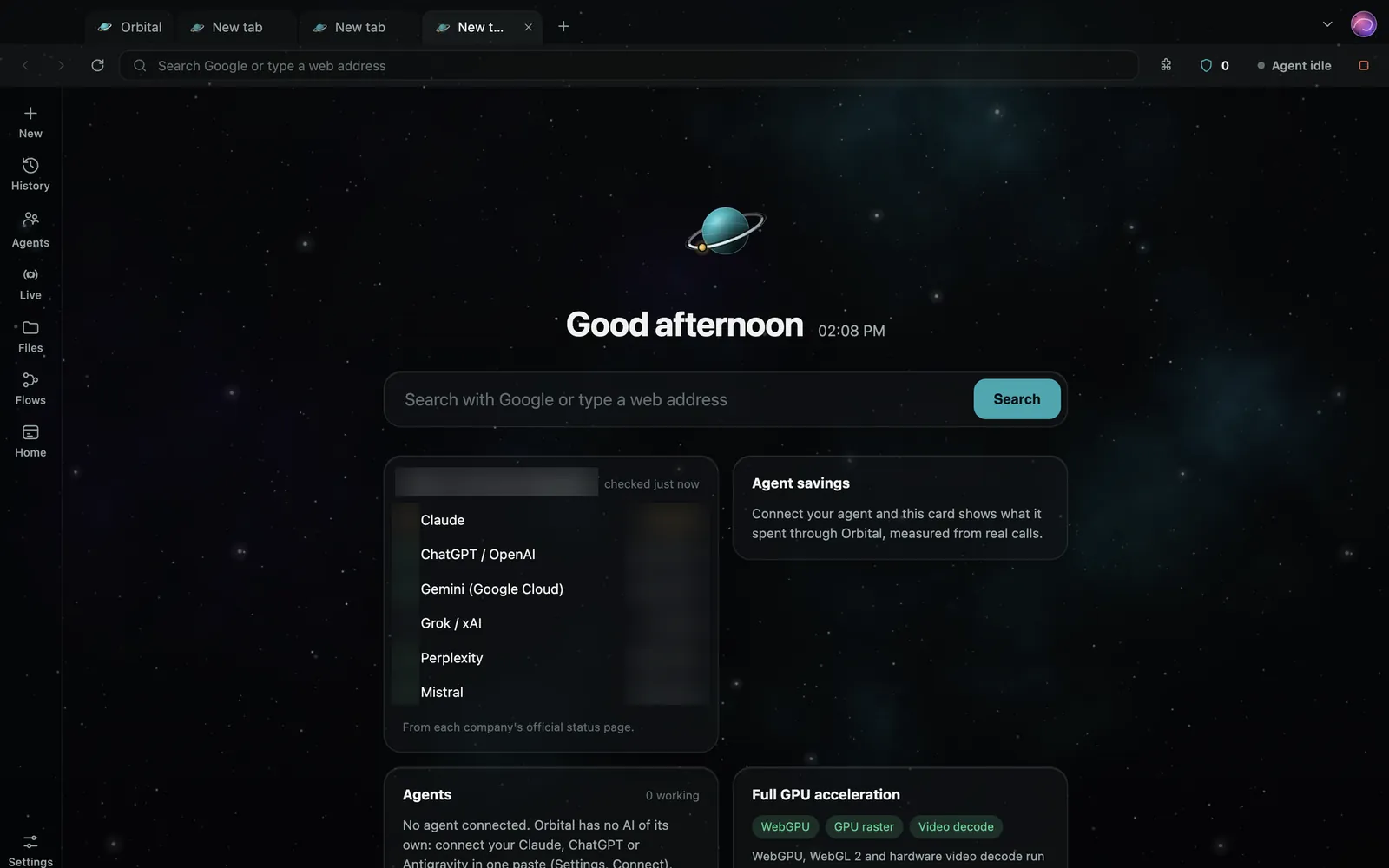
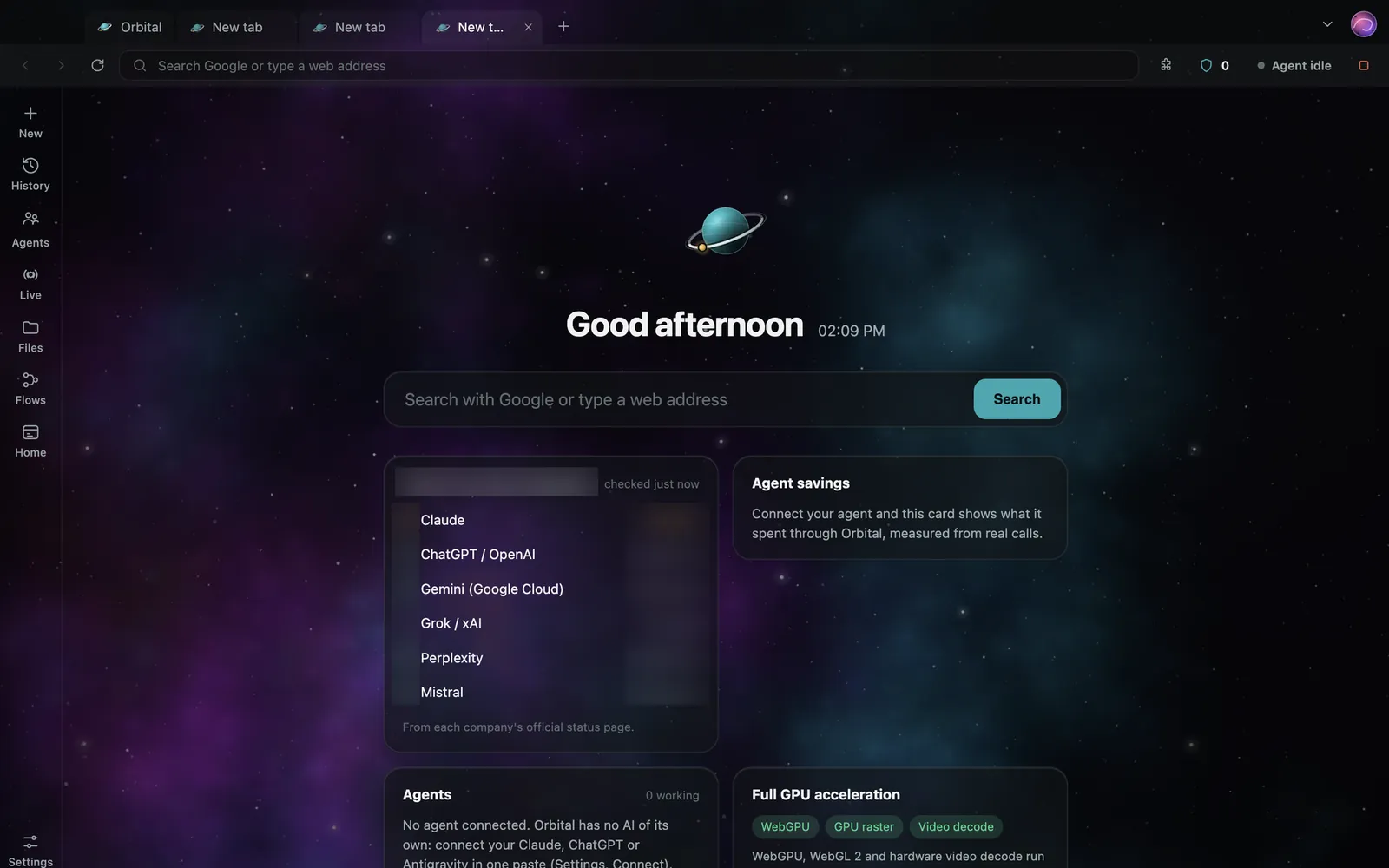
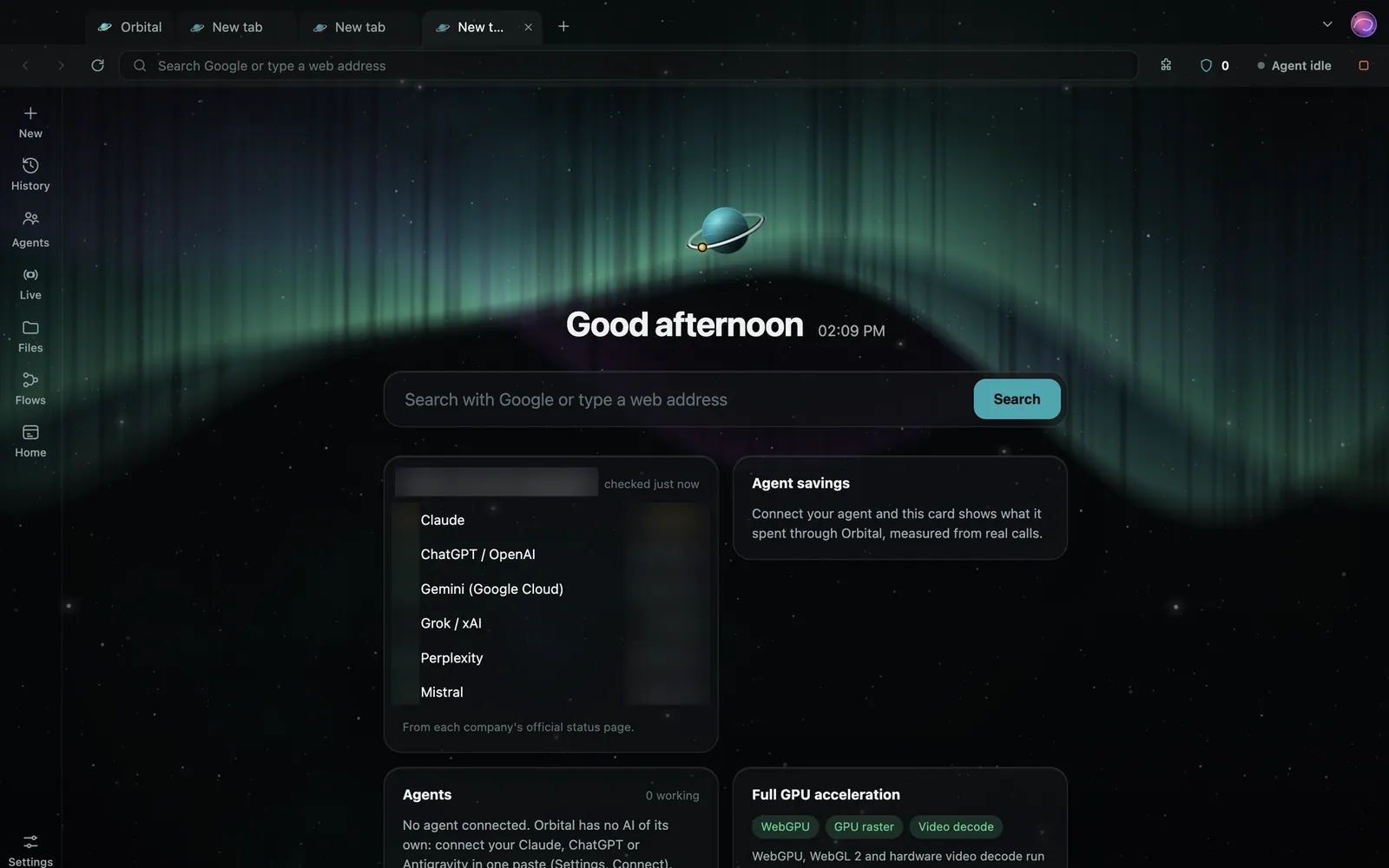
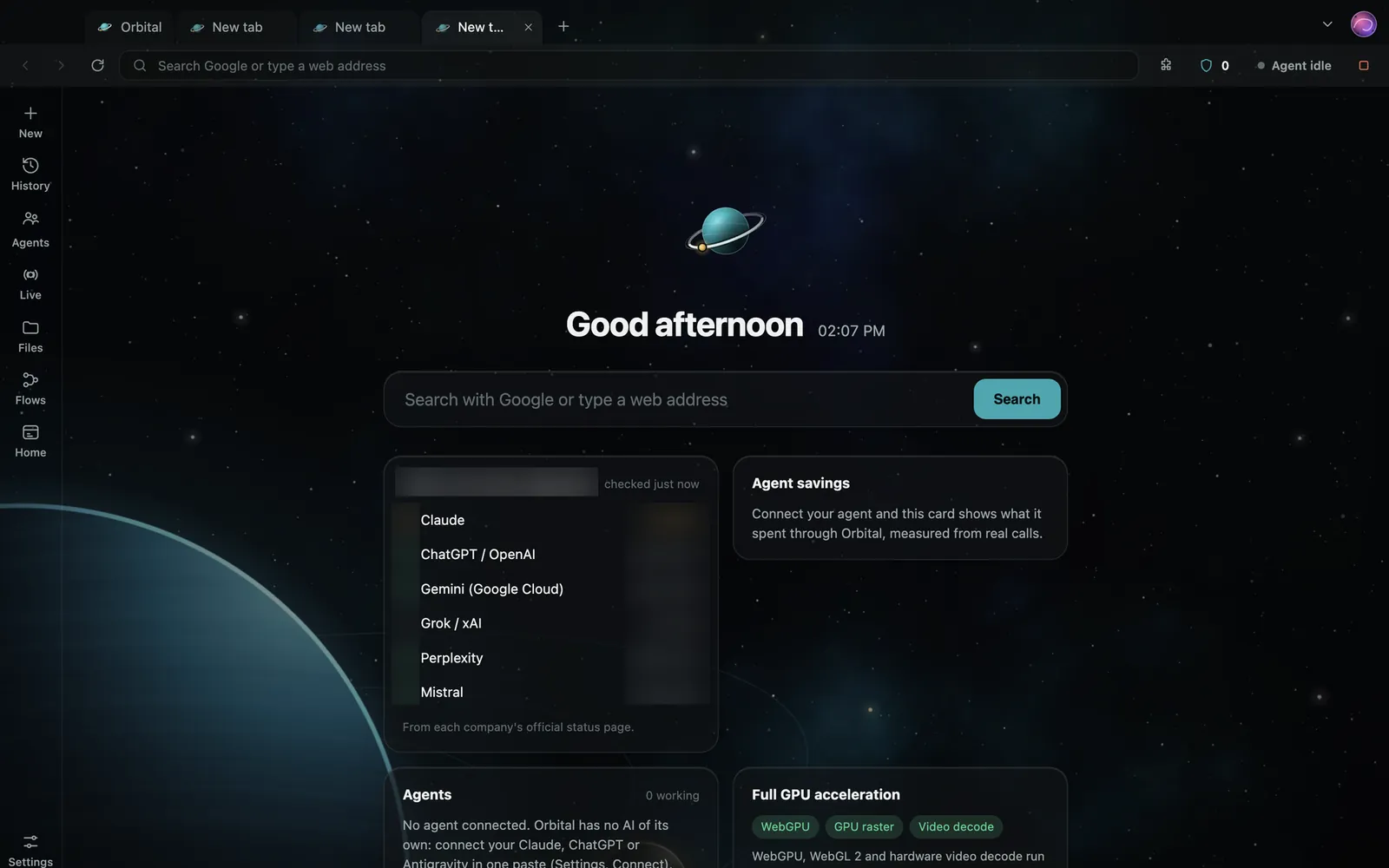
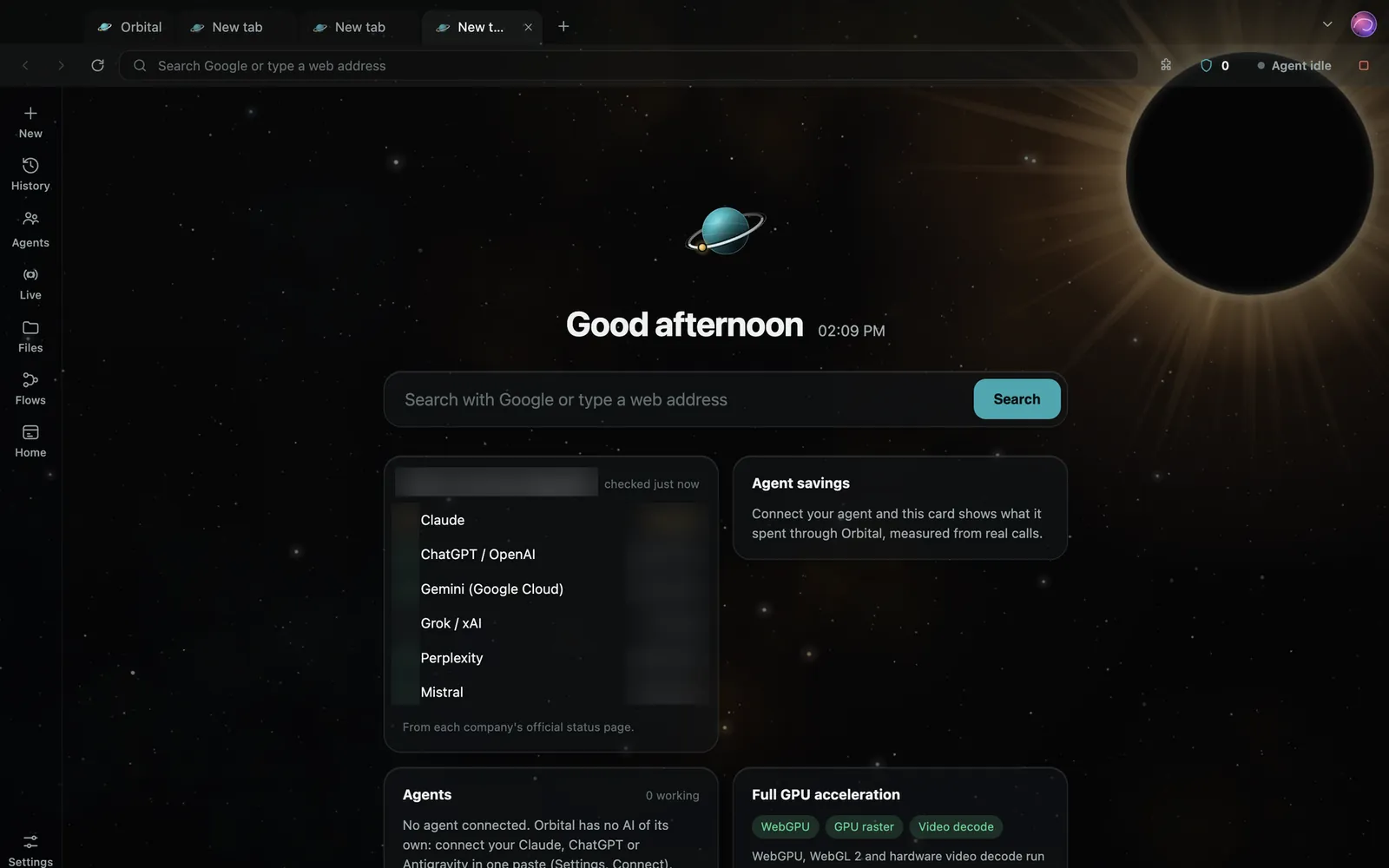
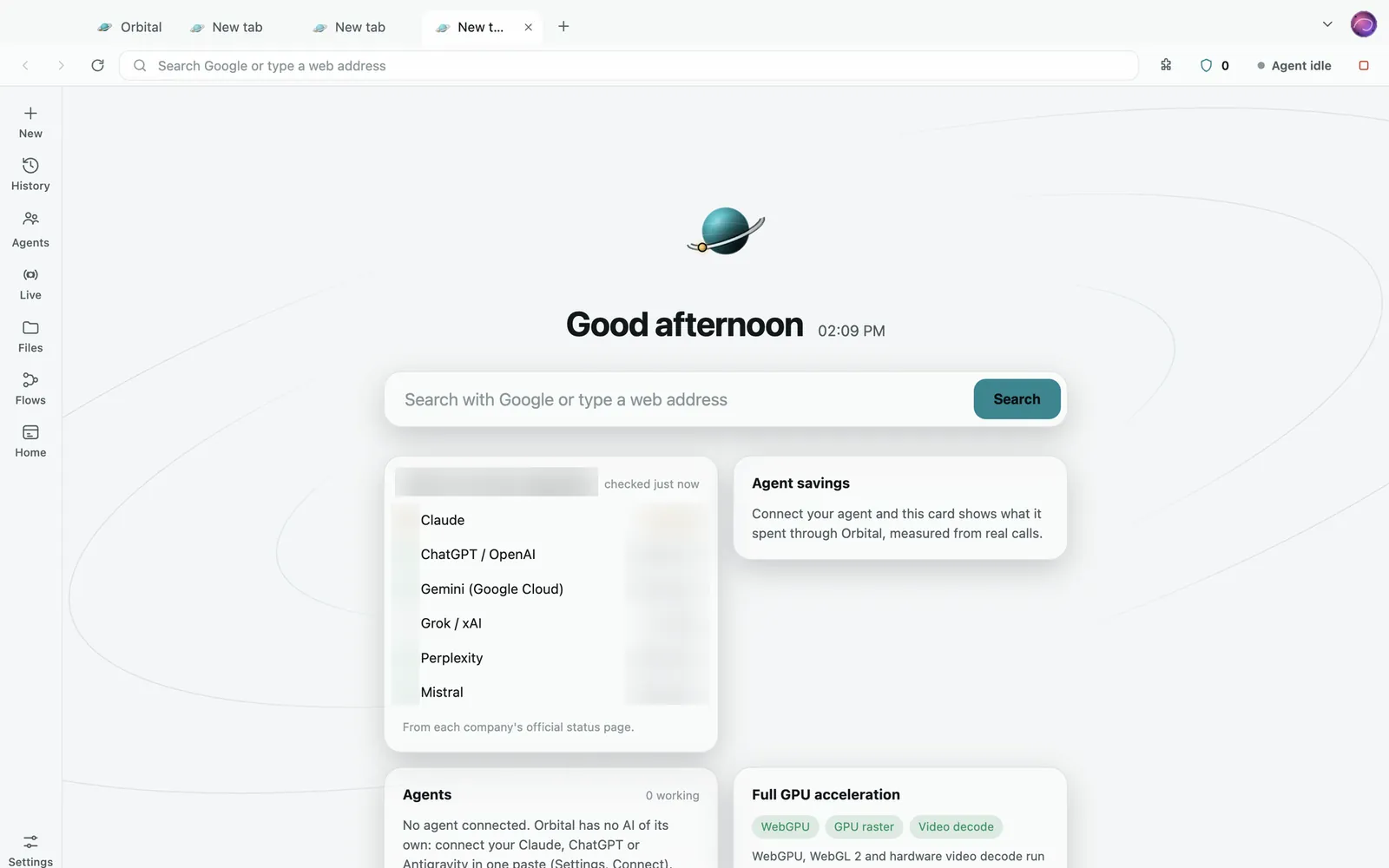
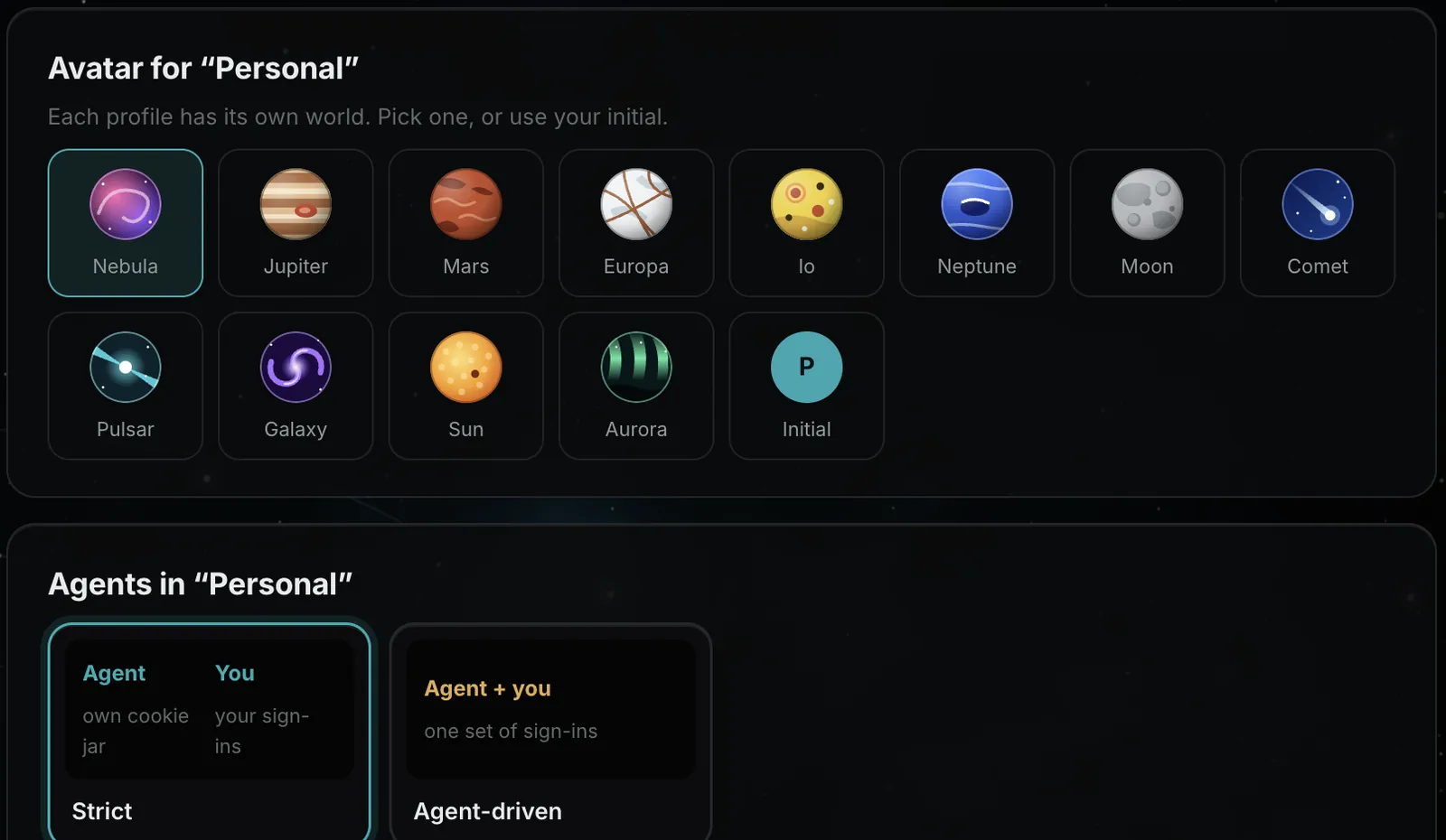
Jupiter's bands, Europa's ice, a nebula, a comet. Each profile keeps its own sign-ins, and one avatar menu holds profiles, tabs, bookmarks, history, downloads, extensions and settings.

About 165,000 filters from EasyList, EasyPrivacy, uBlock Origin's lists and Peter Lowe's list, refreshed daily. Turn it off for one site from the shield.

Press "Add to Orbital". Orbital checks each extension's Chrome signature and tells you what it can touch before it installs. Blockers built on Chrome's network rules, such as uBlock Origin Lite, wait for the Chromium build.
Your agent can attach a 150 MB file the way you would drag it in. It streams from disk and still waits for your yes.
Bring your bookmarks from Chrome, Edge, Brave, Arc and Vivaldi after one review screen. Local only. Passwords and payment cards are never copied.
Open any local file or folder inside Orbital, no other app needed. Share a folder and your agent can read and search it, read-only.
Your new tab shows whether ChatGPT, Claude, Gemini, Grok, Perplexity and Mistral are up, read from their own status pages.
Strict by default. After a warning, agent-driven mode lets your agent use your sign-ins in that profile. When a site needs you, you sign in, press Resume, and it carries on.
Favicons, pinned and muted tabs, named colour groups, tab search and vertical tabs if you like them. ⌘-click, middle-click, right-click and drag work the way Chrome taught you.
The everyday things: tab groups, vertical tabs, pinned and muted tabs, session restore, history, reader view, find in page, zoom, print, PDFs, a downloads page, site permissions, view source, Save As, spelling, full screen and dark mode everywhere.
Google by default; DuckDuckGo, Bing or Brave Search in one click.
Network log, console errors, performance traces, accessibility and SEO audits, and phone, tablet, location, time zone and slow-network emulation.
CPU and memory per tab, and GPU status, one shortcut away.
Measured, not promised
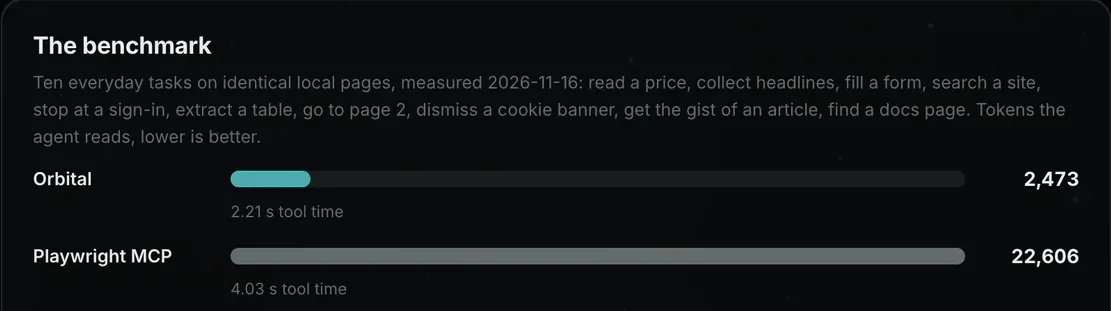
Ten everyday tasks on identical pages, through each tool's real MCP server. One dot is one token the agent had to read.
9.1x fewer tokens, same answers.
The same ten-task run, timed. Then the browser itself, sitting idle with a tab open.
Run 16 Nov 2026. Estimates (text characters ÷ 4, images w×h÷750), not tokenizer counts; tool times vary with the machine. Memory: idle with a tab open, 288 MB against 355 MB for the rc7 build.
See what your agent spent and an estimate of what it saved. Every figure is labelled measured or estimated.
Your agent can check how many tokens it has read so far, with one tool call.
Up to 5 steps in one call. It stops at the first failure and sends back only what changed.
Every feature
Everything below is live in the 0.9 preview today unless it is marked In progress or Coming. Nothing marked Coming is a promise yet.
Orbital has no AI of its own. Your Claude Code, Claude Desktop, Cursor or any MCP client is the brain.
One line connects your agent: copy it from Set up and paste it into your agent.
Your agent learns to browse well from the guide Orbital gives it. Nothing to install.
22 tools: search, open, find, read, act, extract, batch, tabs, inspect, capture, emulate, files and more.
Up to 5 steps in one call. It stops at the first failure and sends back only what changed.
Save a flow once and replay it. It runs dry unless you allow a live run.
Every agent feature is on. Your agent can switch one off; switching one on asks you.
Network log, console errors, performance traces and accessibility/SEO audits for agents that test a site.
Phone and tablet sizes, location, time zone, slow network and slow CPU, on demand.
Your agent reads pages as small slices of text, not pictures.
When a picture really helps, it can take a screenshot, a PDF or a screen recording.
Ten tasks, same answers: 2,473 tokens against Playwright MCP's 22,606 (9.1x fewer), and 2.2 s against 4.0 s of tool time.
See what your agent spent and an estimate of what it saved. Every figure is labelled measured or estimated.
Your agent can check how many tokens it has read so far.
288 MB idle with a tab open, down from 355 MB in the previous build.
Run several agents at once. Each gets its own tabs and colour, and none can touch another's tabs.
A dashboard shows what each agent is doing, its to-do list, its calls and its tokens.
See how each agent works, kept on your computer only.
Press ⌥A to see CPU and memory per tab, GPU status, and every agent's live work beside your browsing.
Press ⌥L to watch your agent work as it happens, with an orb, its plan and a live feed.
Watch the agent's cursor glide to each target and type live, or switch to the fastest direct mode.
Agents work in the background, so your screen stays yours. Press Watch to see any agent's tab live.
Coming: two-way voice with your agent.
Reading is free. Post, send, publish, pay and delete wait for your click, every time.
One button stops your agent. Every step it took stays in a timeline on your computer.
When a site needs you, the agent waits in that tab. Sign in, press Resume, and it carries on.
Strict by default. After a warning, agent-driven mode lets your agent use your sign-ins in that profile.
Optional human-pace delays in your own session. No disguise, no CAPTCHA tricks.
Page text arrives marked as untrusted, so a page cannot give your agent orders.
No open debugging port, so nothing else on your computer can take over your tabs.
Your stored sign-ins are encrypted on disk.
Ads and trackers blocked by default: about 165,000 filters, refreshed daily. Turn it off for one site from the shield.
No tracking or telemetry by us. Your data stays on your machine.
Optional private route through a proxy you run, such as Tor. Off by default; Tor itself is not bundled.
Google by default; DuckDuckGo, Bing or Brave Search in one click.
Coming: private windows.
Your agent can attach a 150 MB file the way you would drag it in. It streams from disk and still waits for your yes.
Open your files inside Orbital: Markdown with Obsidian links, images, video, PDF, code, CSV and folder galleries.
Share a folder and your agent can read and search it, read-only.
Coming: write and delete in a shared folder, each one confirmed by you.
Flows: saved steps with inputs, dry runs and hourly or daily schedules.
Coming: a visual flow builder, and flows recorded from your agent's steps.
Coming: local text reading for image-only pages.
Coming: watch a page and get told when it changes.
The everyday Chrome things you would miss are already there.
Tabs that behave: favicons, pinned and muted tabs, named colour groups, tab search, and vertical tabs if you like them.
⌘-click, middle-click, right-click and drag work the way Chrome taught you.
Press "Add to Orbital" on the Chrome Web Store. Orbital checks the signature and asks before it installs.
Bring your bookmarks from Chrome, Edge, Brave, Arc and Vivaldi after one review screen. Passwords and cards are never copied.
In progress: carrying a whole profile across.
Several profiles, each with its own sign-ins.
A slim sidebar on the new tab: History, Agents, Flows, Files, Live and Settings.
One avatar menu for profiles, tabs, bookmarks, history, downloads, extensions and settings.
Your new tab shows whether ChatGPT, Claude, Gemini, Grok, Perplexity and Mistral are up, read from their own status pages.
Laid out for every window from 800×600 to 2560×1440.
Errors are caught and logged, never thrown in your face.
Coming: address-bar suggestions and a bookmark manager.
Coming: more windows, clearing all site data, and password saving.
Coming: one-click updates.
Five space scenes and a clean Light theme, one click apart. Dark by default.
Each profile gets its own cosmic face: Jupiter's bands, Europa's ice, a nebula, a comet.
Force dark on any site, or everywhere.
Shape your new tab with a live preview: layout, background, accent and every widget.
Mac: private preview, version 0.9, Apple silicon.
Windows: built from the same code, next preview.
In progress: Orbital on its own Chromium build.
Public download opens once the builds are signed.
Coming: optional accounts. Orbital works fully without one.
Coming: optional sync.
Free during the preview.
How you will connect
Free during the preview. Here is exactly where it stands, and how connecting will work once Orbital is on your Mac.
Orbital has no AI of its own. Your agent is the brain; connect it once and every tool is its to use. Orbital speaks MCP, the open standard for agent tools, and ships with a guide that teaches your agent to browse cheaply. Nothing else to install.
Once Orbital is installed, this is the one line you paste. It is not available to download yet.
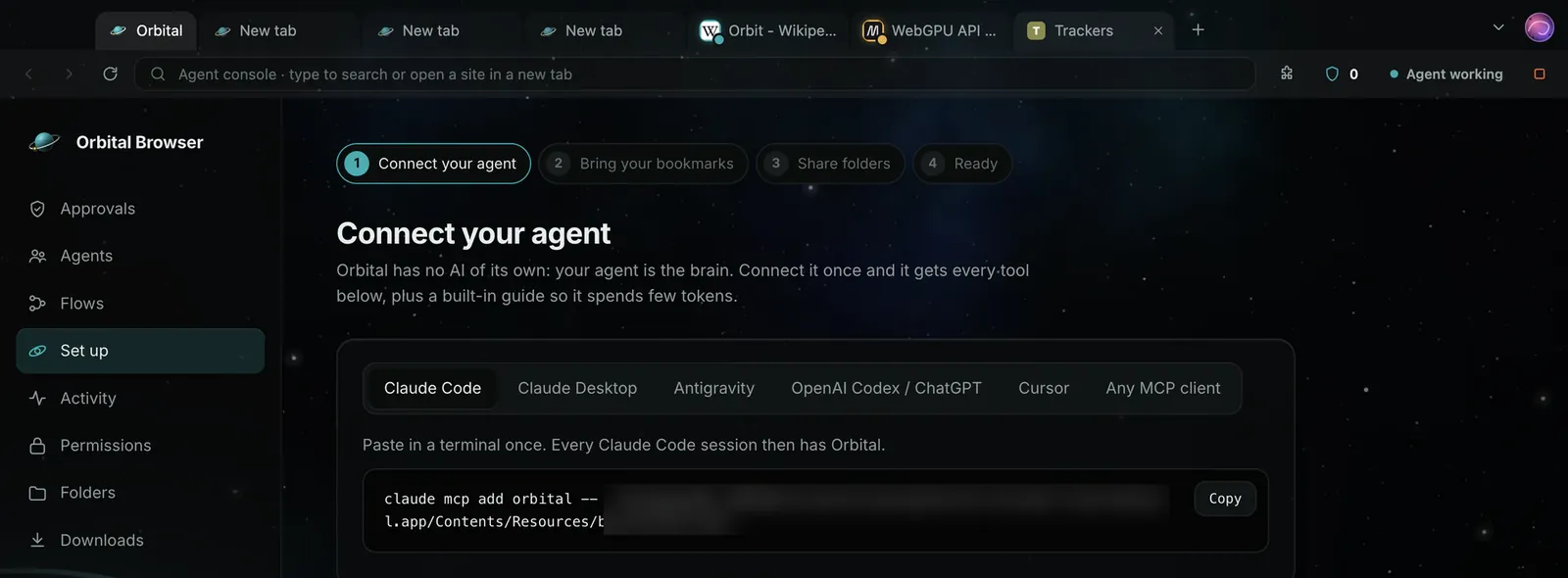
Point at a tool, or tab to it, to see its job.
Waitlist
Orbital Browser is coming soon. Leave your email and we'll let you know when it's ready.
You're on the list
We'll email you when Orbital is ready.